



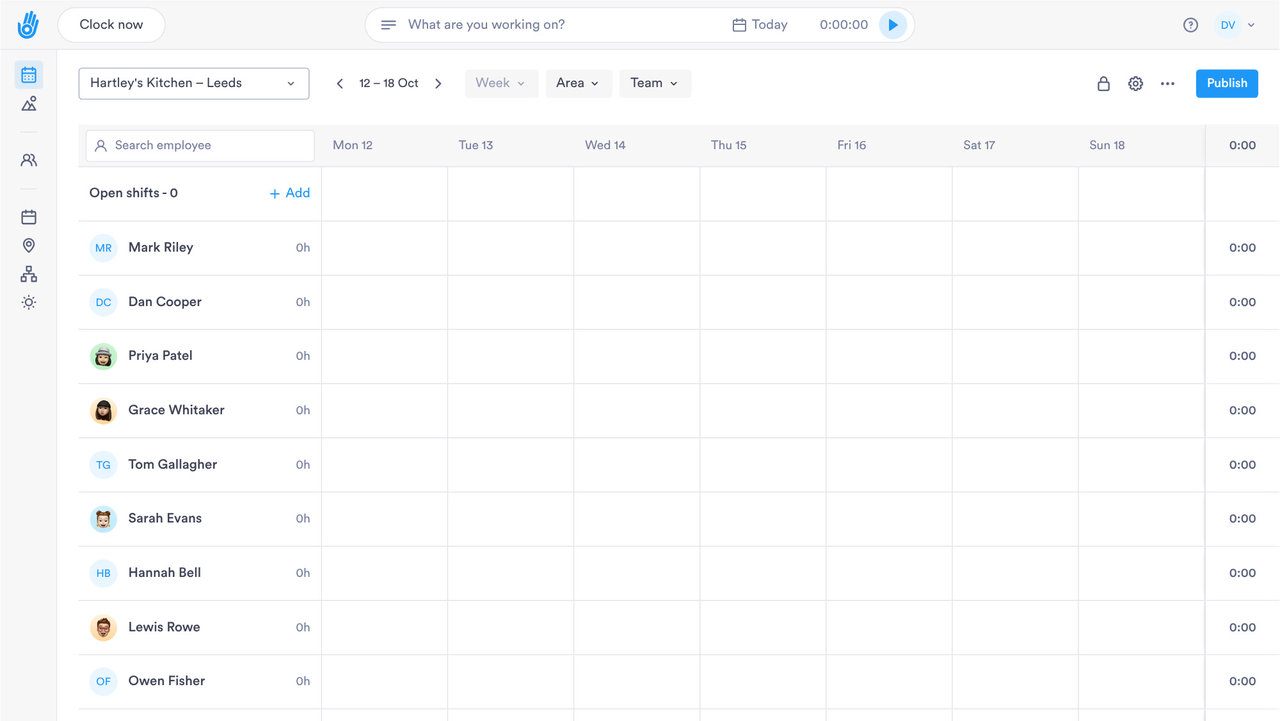
STAFF ROTA SOFTWARE

Build next week's rota from a template

For teams whose shifts change every week. Build, publish and change rotas in minutes, and catch clashes before they go out.

PLANNING

Roster teams at the pace your business moves

Tools for rotas with several shift patterns and last-minute changes.

01

Shift templates

Build a template once and reuse it across teams and sites.

  • ✓ Set the cover you need once and reuse it each week
  • ✓ Copy a template to another team or site
  • ✓ One template per team, site or shift pattern
  • ✓ New starters go straight onto an existing template

02

Open shifts

Post a shift nobody has yet and let a member of staff claim it.

  • ✓ Site managers make changes within your rules
  • ✓ You decide what each manager can change
  • ✓ Staff are told in the app when a shift is assigned
  • ✓ Every edit is logged with who made it
03

Conflict alerts

Get warned before publishing about double-bookings or rest-break breaches.

  • ✓ Double-bookings flagged before the rota goes out
  • ✓ Gaps in cover show up before the shift starts
  • ✓ Overtime risk flagged before payday
  • ✓ Mark an alert as blocking to hold the rota until it's fixed
04

Made for high-turnover rotas

Built for shops, care homes, warehouses and sites with night shifts, to fill gaps and keep the rota current each week.

  • ✓ Staff are notified in the app when the rota is published
  • ✓ Alerts for double-bookings, gaps in cover and overtime risk
  • ✓ A full change history against every employee
DIG DEEPER

Everything else Scheduling does

The tools that keep a rota accurate once it is published.

CHANGE HISTORY

Every rota change has a name on it

See who changed which shift, and when.

01

Choose who can build rotas

Building and editing the rota are permissions you give to the roles you choose.

02

Site managers see their own people

A manager can be limited to their own team or department instead of the whole company rota.

03

Past rotas on the record

Changes to past rotas stay logged with who made them, so you can look back at any week.

04

Live cover across sites

See who is on shift at every site in one view, as it happens.

PAYROLL AND HR SYSTEMS

From the rota to the payroll export

Hours worked export as Excel or CSV for whoever does your payroll.

SAP SuccessFactorsADPWorkdayOraclePapaya Global
See all integrations
THE DETAIL

Small things that save time each week

The parts of the rota a manager uses every day.

Different shift patterns

Fixed weekly hours, flexible hours or rotating shifts. Pick what suits each team.

Flexible hours

Set the hours someone should work each day, for staff without set start times.

Break alerts

Day.io alerts you automatically when a break is missed or cut short.

Staff hear about changes

Staff get a notification in the app when a shift is assigned or the rota is published.

One rota for a whole team

Apply a rota to a whole team or site in one go.

Missed shifts and late starts

See who missed a shift or arrived late in a report you can pull any day.

QUESTIONS

Staff rota: common questions

Can I reuse last week's rota?

Yes. Build a template once and use it each week, then adjust single shifts before you publish.

How do staff find out about a new rota?

When you publish the rota or assign a shift, each person gets a notification in the Day.io app. You don't have to post it in a group chat.

Can staff pick up open shifts?

Yes. A manager posts a shift nobody has yet, and a member of staff claims it. Nobody has to ring round for cover.

Can Day.io stop a rota that breaks rest or hours limits?

Day.io flags too many weekly hours, too little rest between shifts, night work and clashes with approved leave. Mark an alert as blocking and the rota can't go out until it's fixed.

Can managers check the rota on their phone?

Yes. The Day.io app has a rota view for managers, so they can see who's on while they're on the shop floor.

Can a manager see only their own team's rota?

Yes. Custom roles can be limited to a team, a department or the whole company. Each manager then works with their own people's shifts.

See how a week's rota comes together in Day.io

Talk to a specialist and see how your rota would work in Day.io.