ANALYTICS

Workforce analytics, included on the Business plan

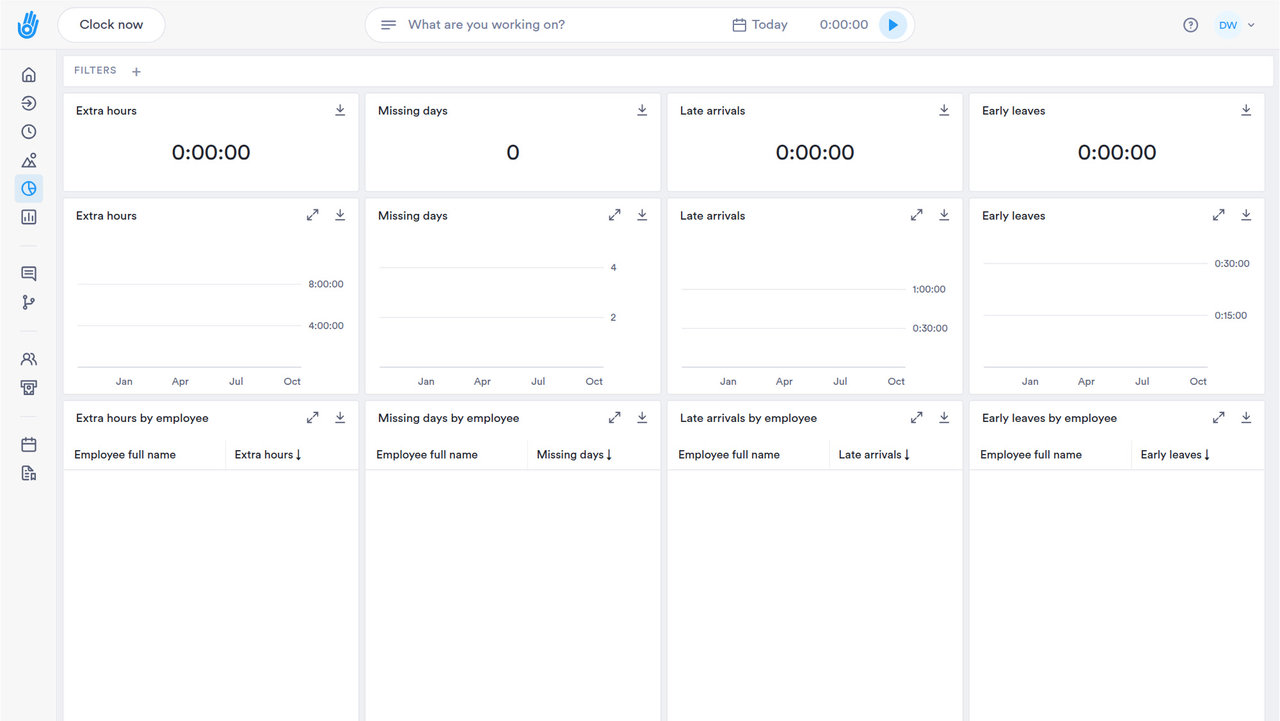
Workforce analytics software with dashboards for labor cost, overtime and attendance trends, included on Business with no add-on fee. The numbers you need to act, without building a report.

HOW IT WORKS

Insight without the extra invoice

Dashboards come with the Business plan, so you see overtime, absences and cost without paying for a reporting add-on.

01

Live Dashboards

Track hours, overtime, and absenteeism as they happen, not after month-end.

  • ✓ Ready on day one, no dashboard to build
  • ✓ Every trend links to the person behind it
  • ✓ See what's blocking payroll before it's due
  • ✓ This morning's numbers, not last month's export

02

Custom Reports

Build the views you and your finance person actually use, and export them on demand.

  • ✓ The report you used to build by hand is already here
  • ✓ Filter once. Export whenever finance asks.
  • ✓ Attendance and payroll reports, generated on demand
  • ✓ Need something custom? Customer Success builds it
03

Labor Cost Tracking

See cost by team, project, or location, updated in real time.

  • ✓ Catch overtime by site, this week
  • ✓ Watch cost climb before it blows the budget
  • ✓ Catch an overrun while you can still fix it
  • ✓ Know what to bill, down to the hour
04

Data your leadership team can trust

Every dashboard pulls from the same records as your timesheets, so what you report matches what you'd show if anyone asked.

  • ✓ Included on Business, no add-on fee
  • ✓ Real-time overtime and cost alerts
  • ✓ One-click export for leadership reporting
DIG DEEPER

More ways to read the numbers

The parts of reporting that go beyond the three dashboards above.

WHO SEES WHAT

Give people the numbers they need, and nothing they don't

Every dashboard respects who's allowed to see what, automatically.

01

Start with roles you already know

Owner, Admin, HR, Finance, Supervisor and Analytics ship ready to use, and you can build your own beside them.

02

A region sees its region

A regional supervisor sees their region's punches. Not the company's payroll.

03

Turn on exactly what each role needs

Reports, payroll and dashboards are separate switches, down to the individual feature.

04

One source of truth, not two

What you report is what you'd show if anyone asked, because it's the same record.

PAYROLL AND HR SYSTEMS

Send hours where payroll already runs

No re-keying hours into ADP, SAP or Workday by hand.

SAP SuccessFactorsADPWorkdayOraclePapaya Global
See all integrations
REPORTS AND EXPORTS

The reports you didn't know you needed

Every corner of the account, one export away.

Every export lives in one place

Stop hunting your inbox for the file someone sent three weeks ago.

Reports beyond payroll

Employee, location and client reports answer the questions payroll can't.

Proof someone actually signed it

A signed document is a record you can pull up, not a PDF buried in email.

Catch the pattern before it's a problem

Repeated late arrivals or missed days show up as a trend, not a surprise.

Billing that prices itself

Set the rate once. Every project and client total follows on its own.

Fits how your team already works

Absences sync to the calendar you already use; the API covers the rest.

QUESTIONS

Workforce analytics: common questions

Which Day.io plan includes workforce analytics dashboards?

Day.io's workforce analytics dashboards are part of the Business plan. Day.io is free for up to 10 employees, and the free plan includes scheduling and e-signature, but the dashboards need the Business plan.

Are Day.io's analytics dashboards real time?

Yes. Day.io's analytics dashboards update in real time, so a manager can see what is happening on today's shifts while there's still time to act, instead of waiting for an end-of-month report.

Can I break down Day.io analytics by team or shift?

Yes. Day.io's analytics dashboards can be broken down by team, shift, production line or plant, so you can compare a night shift or a second plant with the rest of the company.

Can a manager see only their own team's numbers in Day.io?

Yes. Day.io custom roles can be scoped to a team, a department or the whole company, so a manager sees the dashboards for their own people and not the full company. Custom roles come on every plan.

See your overtime before payroll does

Day.io is free for up to 10 employees, and dashboards come with the Business plan. Want to see them first? Talk to a specialist.