







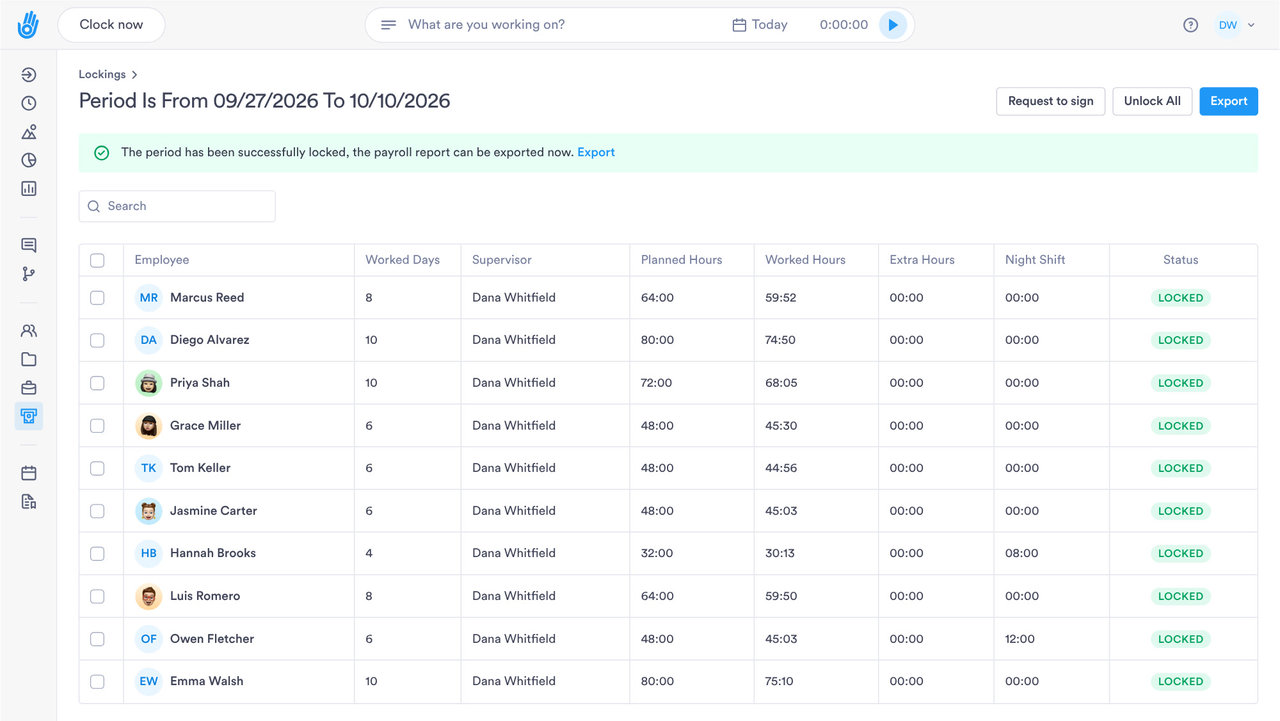
Request and track
See who has signed and who is still pending.
- ✓ Sign from a phone or a computer
- ✓ Signed on screen and kept on file
- ✓ Requests go out when payroll closes
- ✓ The signature saved on the employee's record

Timesheets signed by every employee before payroll
Send timesheets for signature when the pay period closes, see who has signed, and remind the rest automatically.
Send timesheets for approval, track who's signed and who hasn't, and store every signature alongside the record it applies to.
See who has signed and who is still pending.
Each signed timesheet is kept with the hours it covers, for as long as your policy requires.
E-signature comes with every Day.io plan. There is no separate module to buy.
Signature requests go out from the same place that tracks the hours being signed.
What happens between a signature request and a fully closed pay period.
The signature request goes to each employee when the pay period closes.
Automatic reminders chase down the signatures still missing before a deadline.
Every signed timesheet is stored and retrievable for as long as your policy requires.
Employees sign their timesheet from the app between shifts, or from a computer.
Roles decide who manages templates, who can cancel a request and who can only view.
Signature requests start from your saved templates, so nobody drafts one from scratch.
Cancelling an unsigned request can be given to some roles only.
Some roles can see who has signed without being able to change the template.
A document can ask employees to acknowledge it or to sign it, and the record shows which.
Hours from signed timesheets export as Excel or CSV for whoever does your payroll.
Send other company documents for signature in the same way.
Send a policy or a letter for employees to sign, the same way as a timesheet.
See what went out and who still needs to sign.
Assigning someone a pay policy, or a date you pick, can send a document on its own.
Choose who gets each document: one person or a group of employees.
Send the same document to everyone in a team in one go.
A report lists every request you sent and whether it has been signed.
No. Timesheet sign-off is part of Day.io, so the hours and the signatures sit in the same account.
Yes. Employees sign from their phone or a computer. Nobody prints a timesheet to sign by hand and scan back.
It shows the employee signed off those hours. If an employee or an employment standards officer ever asks, you can pull up which timesheets each person signed.
As long as your company needs. Day.io doesn't delete them, and they stay on file after someone leaves.