







EMPLOYEE SCHEDULING SOFTWARE

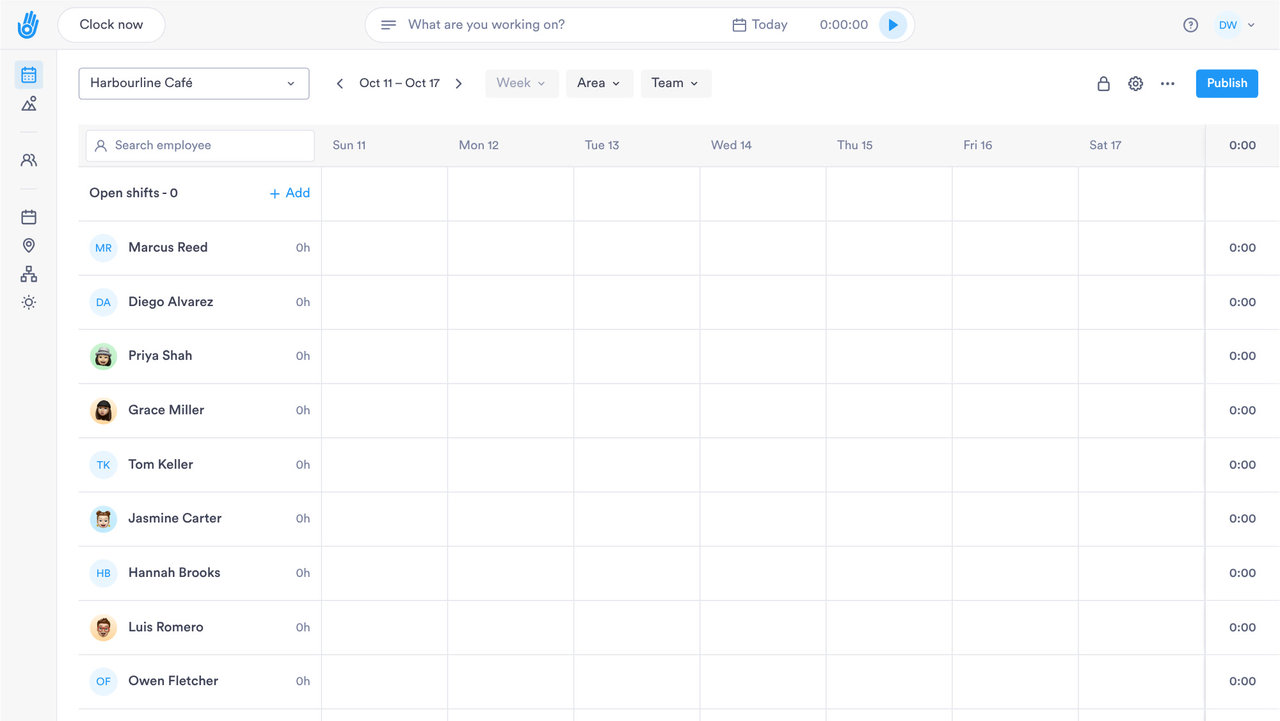
Build next week's schedule in minutes

Set your shift rules once, see coverage at every location, and let managers make changes within your rules.

HOW IT WORKS

Shift rules, coverage and alerts in one schedule

Set shift patterns, rest between shifts and weekly hour limits once. Day.io alerts you when a shift breaks one of them.

01

Shift alerts

Get an alert when a shift breaks weekly hour limits or rest rules, or clashes with approved leave.

  • ✓ Set the coverage you need once and reuse it each week
  • ✓ Copy a template to another team or site
  • ✓ One template per team, site or shift pattern
  • ✓ New hires go straight onto an existing template

02

Real-time coverage

See gaps and overlaps before they become a staffing problem.

  • ✓ Site managers make changes within your rules
  • ✓ You decide what each manager can change
  • ✓ Employees are told in the app when a shift is assigned
  • ✓ Every edit is logged with who made it
03

Manager self-service

Location managers adjust their own schedules within the rules you set.

  • ✓ Double-bookings flagged before the schedule goes out
  • ✓ Gaps in coverage show up before the shift starts
  • ✓ Overtime risk flagged before payday
  • ✓ Mark an alert as blocking to hold the schedule until it's fixed
04

Made for teams with high turnover and several locations

Schedules stay consistent across locations, and new managers pick them up quickly.

  • ✓ Location managers handle their own schedules
  • ✓ Alerts for double-bookings and gaps
  • ✓ One schedule view for every location
DIG DEEPER

Everything else Scheduling does

The tools that keep a schedule right after you publish it.

CHANGE HISTORY

Every schedule change has a name on it

See who changed which shift, and when.

01

Choose who can build schedules

Building and editing the schedule are permissions you give to the roles you choose.

02

Site managers see their own people

A manager can be limited to their own team or department instead of the whole company schedule.

03

Past schedules on the record

Changes to past schedules stay logged with who made them, so you can look back at any week.

04

Live coverage across sites

See who is on shift at every site in one view, as it happens.

PAYROLL AND HR SYSTEMS

From the schedule to the payroll export

Hours worked export as Excel or CSV for whoever does your payroll.

SAP SuccessFactorsADPWorkdayOraclePapaya Global
See all integrations
THE DETAIL

Small things that save time each week

The parts of the schedule a manager uses every day.

Different shift patterns

Fixed weekly hours, flexible hours or rotating shifts. Pick what suits each team.

Flexible hours

Set the hours someone should work each day, for employees without set start times.

Break alerts

Day.io alerts you automatically when a break is missed or cut short.

Employees hear about changes

Employees get a notification in the app when a shift is assigned or the schedule is published.

One schedule for a whole team

Apply a schedule to a whole team or site in one go.

Missed shifts and late starts

See who missed a shift or arrived late in a report you can pull any day.

QUESTIONS

Employee scheduling: common questions

Can I reuse last week's schedule?

Yes. Build a template once and use it each week, then adjust single shifts before you publish.

How do employees find out about a new schedule?

When you publish the schedule or assign a shift, each person gets a notification in the Day.io app. You don't have to post it in a group chat.

Can employees pick up open shifts?

Yes. A manager posts a shift nobody has yet, and an employee claims it. Nobody has to call around for coverage.

Can Day.io stop a schedule that breaks rest or hours limits?

Day.io flags too many weekly hours, too little rest between shifts, night work and clashes with approved leave. Mark an alert as blocking and the schedule can't go out until it's fixed.

Can managers check the schedule on their phone?

Yes. The Day.io app has a schedule view for managers, so they can see who's on while they're on the sales floor.

Can a manager see only their own team's schedule?

Yes. Custom roles can be limited to a team, a department or the whole company. Each manager then works with their own people's shifts.

See scheduling that keeps up with your team

Talk to a specialist about your shift patterns.